
Montonio payment links
With Montonio you can send a customer a payment link to pay by bank link or card. When the customer pays, ZERPY records the payment on the order by itself — you do not have to mark it by hand.
To connect Montonio you need a Montonio account and a store in the Montonio Partner System.
Connecting
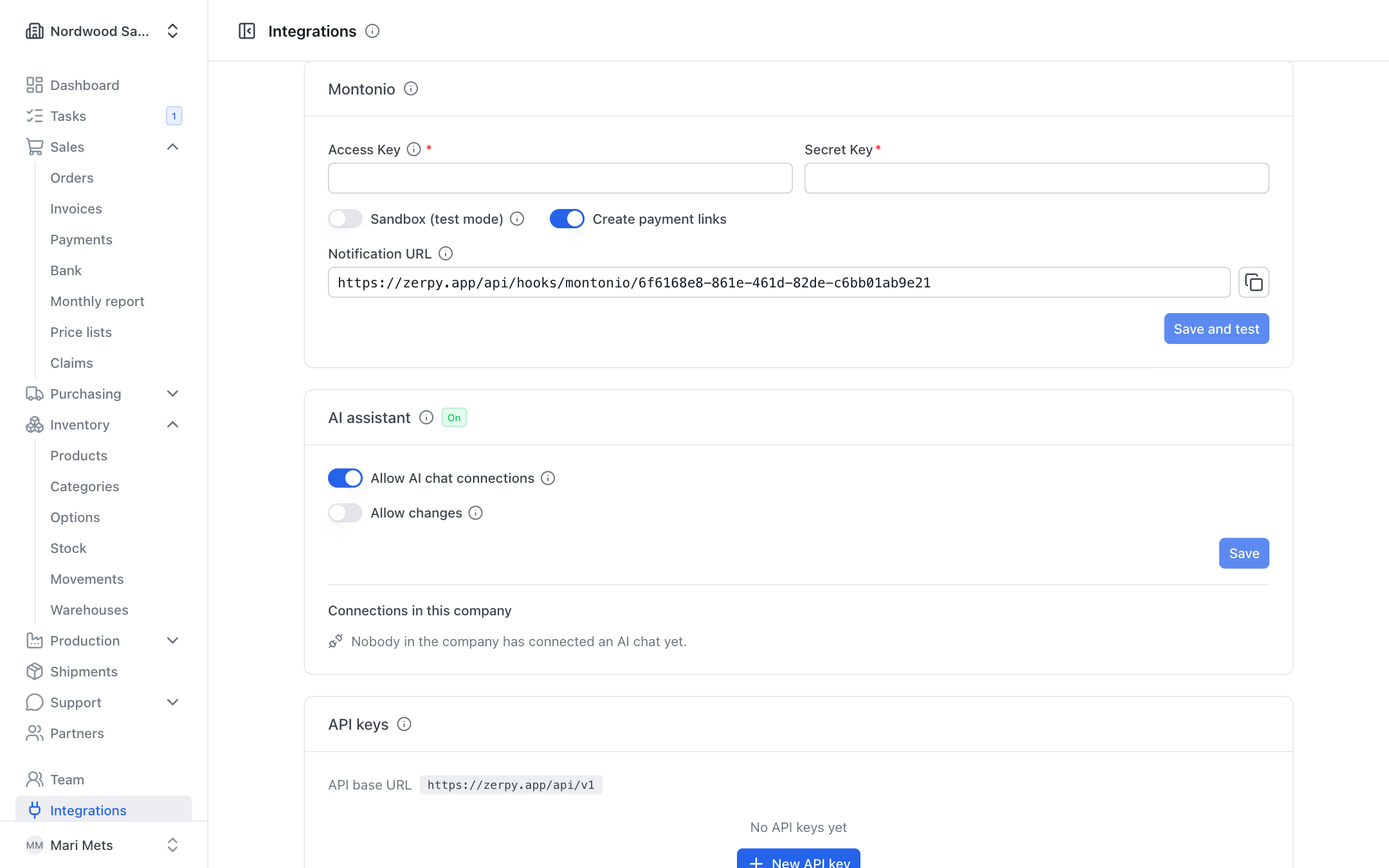
Only an owner or admin can connect Montonio.
- In the Montonio Partner System, open Stores → your store → API keys and copy the Access Key and Secret Key.
- In ZERPY, open Integrations and find the Montonio card.
- Enter the Access Key and Secret Key.
- To try it first, switch on Sandbox (test mode) and use the keys of your Montonio sandbox store. No real money moves in test mode.
- Leave Create payment links switched on.
- Press Save and test. ZERPY checks the keys and shows "Montonio connected: …" (the store name).
Once connected, the card shows Connected (or Sandbox (test mode) in test mode) and how many online payments were made and for how much.
Going live
When testing is done, press Edit next to the keys, enter the live store's keys, switch Sandbox (test mode) off and press Save and test.
Notification URL
The card shows the Notification URL — Montonio sends payment confirmations there. ZERPY passes this address to Montonio with every payment link by itself.
ZERPY must be reachable from the internet at this address. If it is not public, the card shows a warning: payment links work, but confirmations do not reach ZERPY and payments have to be recorded by hand.
Creating a payment link
Payment links are made on the Payments card of a sales order (see Payments). Roles that may change sales or invoices can create them.
- Open the sales order.
- The Payments card shows "No online payment link for … yet."
- Press Create payment link.
The link is for the amount the order is currently asking for: first the unpaid part of the prepayment, then the rest. The link is valid for 14 days. The card shows the link, its amount and when it expires ("valid until …"); Copy link copies it so you can send it to the customer yourself.
If an unpaid link for the same amount already exists, it is reused — the customer does not get several different links.
WARNING
Montonio accepts only euros (EUR) and Polish zloty (PLN). You cannot create a payment link for an order in another currency.
Link in the e-mail and on the prepayment invoice
When Montonio is connected:
- Send to customer on the Payments card creates the payment link if needed and adds it to the prepayment invoice or payment request e-mail.
- The Prepayment invoice and Payment request PDF also print the link.
So the customer can pay straight from the e-mail or the invoice.
What happens after payment
When the customer pays, Montonio sends ZERPY a confirmation. ZERPY:
- records a payment on the order with the method Online payment;
- marks the payment link as paid;
- updates the order's payment status and the invoice's paid status (see Payments).
The same payment is recorded only once, even if Montonio sends the confirmation several times.
Disconnecting
Press Disconnect on the card. Payments made later through links already sent to customers are no longer recorded automatically — record them by hand with Record payment.